When a branded app fits
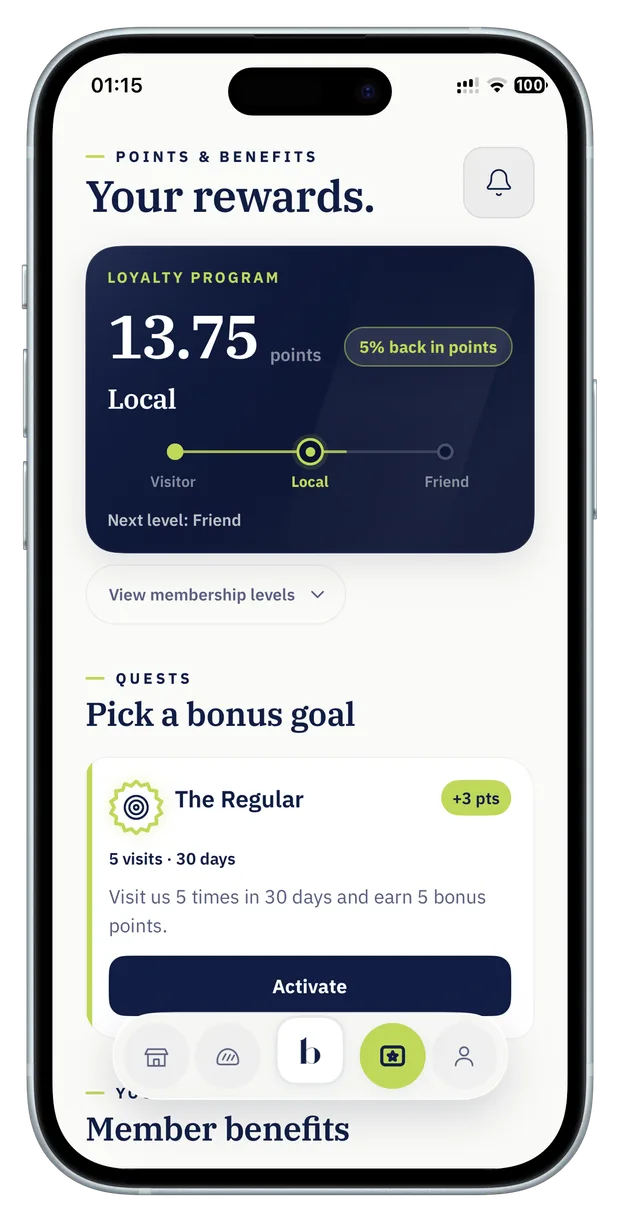
A restaurant loyalty program app gives guests one place for their account, membership QR code, points and reward choices. It makes sense when the program has enough value to explain the extra step of downloading the app and creating an account.
Before committing, write the sentence your team will use at the counter. “Download our app to see your points and choose a reward” is easier to explain if the first useful reward is close enough to understand. Ask the vendor who owns the app listing, how updates are delivered and what support guests get if they can’t sign in.
For an example of what guests see, open the published Balance app listing or use the guest walkthrough.
When a Wallet card fits
A digital stamp card can suit a single offer guests recognise immediately, such as a coffee after eight eligible purchases. Guests save a pass to a supported phone Wallet and show the code when they visit. Agree on how they get the pass, how progress is updated, and what guests with unsupported devices can do.
Apple and Google each document how loyalty passes work on their platforms. Ask which platforms, issuance methods and checkout features are included in your implementation. For a QR flow, test the actual code and device at the counter.
Compare the daily work
- Guest signup
- App: install and create an account. Wallet: open the join flow and save a pass to a supported Wallet.
- Guest experience
- App: room for points, several rewards and membership progress. Wallet: a quick place to see stamp progress and show a code.
- Staff at checkout
- For either format, check whether an eligible purchase is recorded through the POS or confirmed by staff.
- After launch
- Ask who handles updates, guest support, reward changes and access to your records.
Shortlist loyalty apps
When comparing the best restaurant loyalty apps for your venue, give each vendor the same small test. Use one real checkout scenario, one reward and one exception.
- Ask a colleague to join with their own phone and find their member code without coaching.
- Have a staff member confirm a qualifying order during a realistic checkout.
- Redeem a reward, then ask how staff reverse it if the order is refunded.
- Ask for a written scope with setup, support, access and recurring fees.
Choose the guest format together with the POS or staff-assisted checkout workflow. Novero can scope both formats around your venue and your program rules.