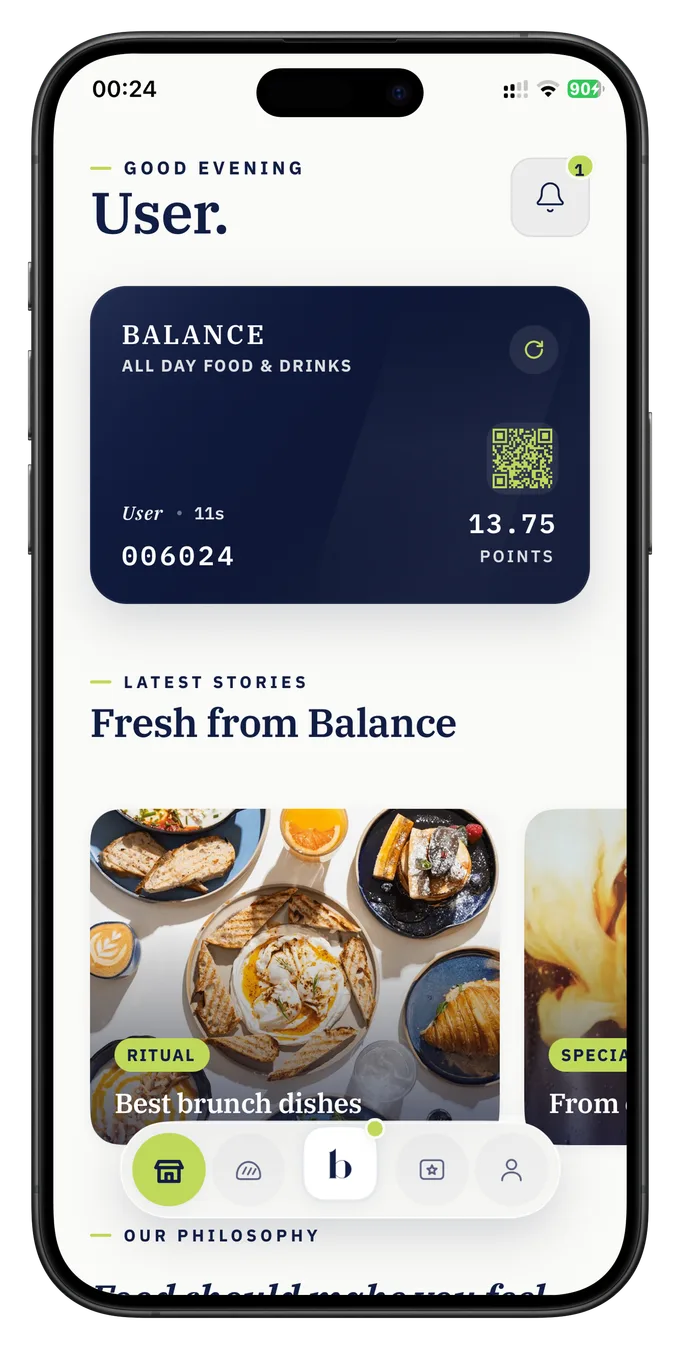
Restaurant loyalty software
Choose a loyalty format guests will use and a checkout flow your staff can run. Novero helps you scope both and set up the program.
Discuss your setup ↗
Fit the checkout
Either guest format can be considered with either checkout approach. We confirm feasibility and the staff workflow for each location.
POS integration
Staff identify the member during checkout. A supported integration uses the transaction data your POS makes available to apply the agreed points or reward rules.
We check the provider, version, permissions and transaction events before quoting. Ask to see a purchase, a refund and a reward redemption in the proposed workflow.
Staff QR scanning
Staff scan a member QR code on an approved device and confirm an eligible purchase or redemption. The sale is still recorded in your usual till.
We agree which staff can confirm or reverse a reward, what gets logged and what to do if a device is offline. Staff handle any loyalty adjustments when a sale is refunded.
Read the POS and staff-scanning checklist ↗
Set the rewards
Choose a few rules guests understand and staff can explain. Available options depend on the format and scope you agree with Novero.
- Reward visits or spend
- Visit stamps, spend-based points or cashback rules. Give guests a clear threshold and a reward with a known cost.
- Make the next visit timely
- Plan a welcome, birthday, referral or win-back offer. A bonus period, milestone or tier can give regulars a different reason to return.
- Reach members who opt in
- Share news, coupons or campaign updates in the app. Where included, push notifications reach guests who enable them.
See restaurant loyalty program examples ↗
From scope
to service
Restaurant loyalty program software needs a clear offer and a checkout routine. We agree on the work involved before you launch.
Design the offer
Agree on qualifying purchases, reward cost, redemption rules and participating locations. You approve the terms guests will see.
Set up and train
Configure the agreed app or Wallet card, test the checkout flow and train staff on earning, redemption and exceptions.
Review and adjust
Where included in the agreement, Novero reviews available program activity, recommends changes and implements the ones you approve.
What it costs
Start with a visit card or scope a full branded app. Each plan has a one-time setup fee and a monthly service fee.
-
Visit card
A branded Wallet stamp card. Staff scan a guest’s code and record the qualifying visit.
From €89 per month
Setup from €190
+ €19 per additional location
-
Wallet + POS
A Wallet card with a supported POS connection for member purchases, rewards and reporting.
From €175 per month
Setup from €290
+ €25 per additional location
-
Branded app + POS
Your own iOS and Android app, a supported POS connection and agreed program management.
From €600 per month
Setup from €1,490
Up to 3 locations, then + €50 per location
Prices exclude VAT and are subject to scope and POS compatibility. Plans run on a 12-month agreement, with two months free for annual prepayment. There’s no automatic fee per loyalty member. Additional development and integrations are quoted separately.
See the published Novero Loyalty plans ↗
Before you decide
- Can each location use the same program?
- We can assess a shared program. Confirm which locations participate, which POS each uses and whether a reward earned at one can be redeemed at another.
- Can I start with staff scanning?
- Yes. A visit card with staff scanning can be scoped without a direct POS link. If your checkout changes later, we can assess a connection against the new setup.
- Who owns our app listing and program data?
- We set out app store account ownership, admin access and export terms in the proposal so you can review them before committing.
- How should I compare loyalty software for restaurants?
- Ask vendors to show guest signup, staff checkout and a refund using the format you plan to run. Then ask what support is included after launch.
Find your starting point
Tell us which venues and till systems you use. We’ll discuss a guest format, a checkout flow and the scope you need to make the program practical.
Talk to Novero ↗